
Why AI Makes Version Control More Important, Not Less
AI is speeding up software development, but that makes version control more essential—not less. When code, content, and fixes can be generated in minutes, teams need a reliable source of truth, clear rollback paths, better collaboration, and a trustworthy record of what changed, when, and why.
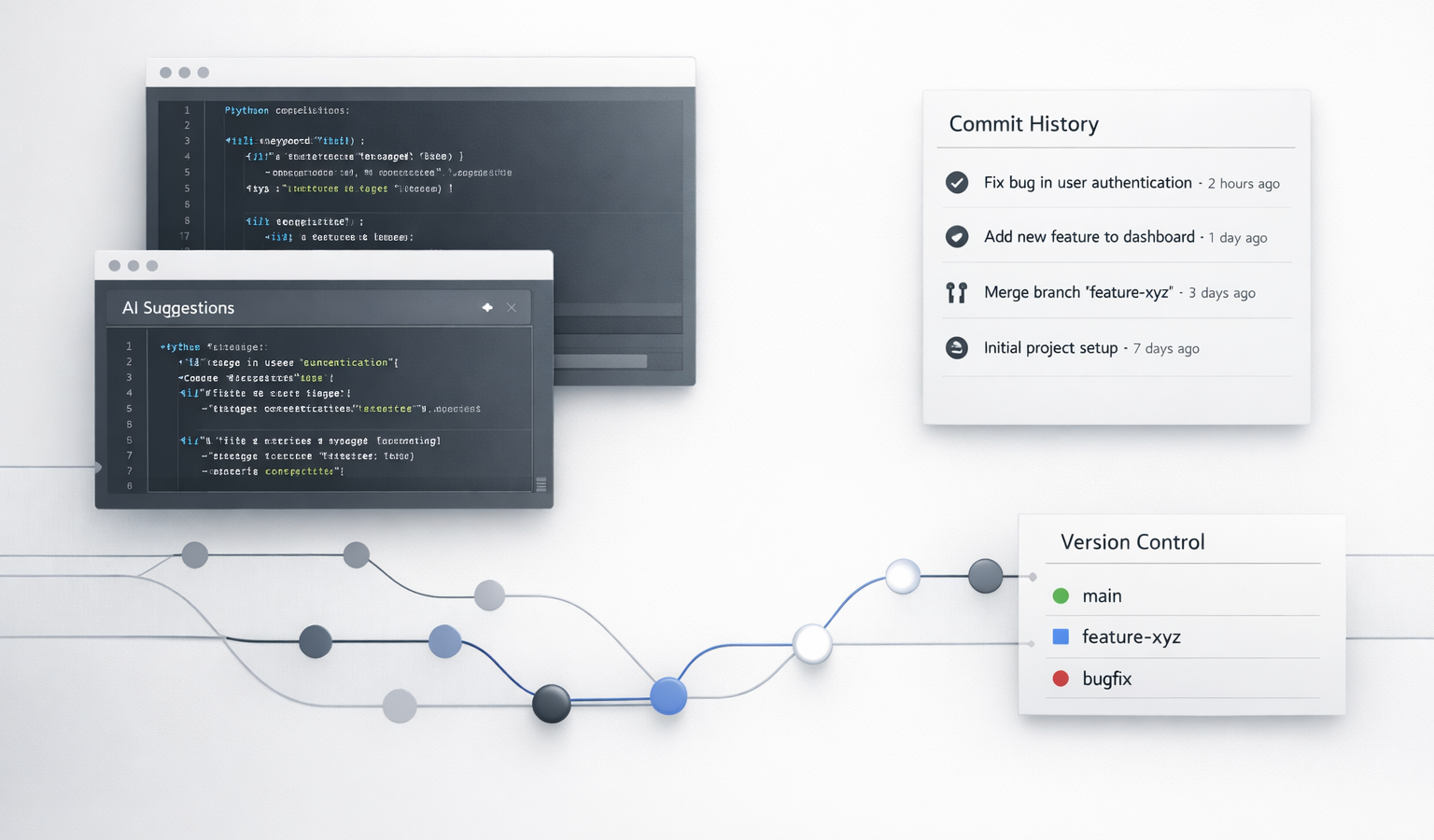
AI is changing how fast software gets built, written, and shipped. That speed can feel exciting—especially for a small business, a solo creator, or a lean team that wants to move quickly without hiring a full engineering department. But faster development does not reduce the need for version control. In fact, it makes version control more important than ever.
When AI can generate code, suggest fixes, draft content, and help you prototype in minutes, it becomes easier to create a lot of change very quickly. That sounds efficient until you need to answer a simple question: What changed, when did it change, who approved it, and how do we safely undo it if something breaks? That is where version control earns its keep.
I think about this a lot from my own background. In test engineering, especially in systems where reliability mattered, traceability was not optional. You needed to know what was changed, why it was changed, and what the impact was. Modern development works the same way. AI may speed up the work, but it does not eliminate the need for a clear record of truth.
AI Moves Fast. Version Control Keeps You Grounded.
Version control is the system that tracks changes to files over time. Most people know it through Git, but the idea is bigger than any one tool. It gives you a history of your development process, a way to compare versions, and a safe structure for collaboration.
When AI enters the workflow, version control becomes the difference between controlled progress and chaotic churn. Instead of asking your team to trust memory, screenshots, or “I think I fixed that yesterday,” version control gives you a reliable, transparent record of development.
Why Version Control Still Matters in an AI-Driven Workflow
1. It creates a source of truth
AI tools can generate suggestions, but suggestions are not a source of truth. Your repository is. When code, content, or configuration lives in version control, everyone knows where the current approved version is stored. That matters whether you are managing a website hosting update, a product landing page, or a small business app.
This is especially important for teams that may be working with contractors, content creators, or outside developers. If everyone edits files in different places, the risk of confusion grows fast. A single repository provides a clear record of what is live, what is staged, and what is still in progress.
2. It gives you a rollback plan
AI can help you move quickly, but speed can also make mistakes happen quickly. A generated code snippet may look correct and still break a page, introduce a bug, or create a security issue. Version control lets you roll back to a known good state without guessing.
That rollback ability is one of the biggest reasons version control remains essential. It turns “we need to fix this now” from a panic into a process. You can compare commits, identify the change that caused the issue, and restore the previous version with confidence.
Fast development is useful. Recoverable development is essential.
3. It supports safer collaboration
AI can make it easier for one person to produce a lot of work, but most real projects still involve collaboration. A designer updates the homepage. A developer tweaks a script. A marketer revises the copy. A business owner wants to review everything before it goes live.
Version control helps all of that happen without stepping on each other’s work. Branches let people experiment independently, pull requests create a review process, and commit history shows how a project evolved. Instead of overwriting each other’s changes, the team can work in parallel and merge changes with more confidence.
For a small business, that can be the difference between a smooth launch and a mess of conflicting edits.
4. It makes branching more powerful
AI encourages experimentation. You can ask it to rewrite code in a different framework, generate multiple headline options, or build a quick prototype. That is great—if you test those ideas in branches instead of in your main production line.
Branching is one of version control’s best features because it creates a safe sandbox. You can try an AI-generated feature, compare it against the original, and keep only the parts that actually improve the project. This is especially useful when you are building something customer-facing, like a website, sales funnel, or internal tool.
5. It improves release tracking
When development speeds up, releases can start to blur together. What changed in version 1.3.2? Why did the checkout flow look different last week? Which update introduced the layout issue on mobile?
Version control gives you the release history to answer those questions. Tags, commits, and merge history help connect the dots between a feature and the version that shipped. That makes support easier, troubleshooting faster, and planning more strategic.
For entrepreneurs managing a website or product, release tracking also builds trust. You can be more deliberate about what goes live and when. That kind of discipline matters when your website hosting, conversions, and customer experience depend on stability.
How Version Control Adds Accountability to AI-Assisted Development
One concern people have with AI is that it can feel like a black box. A tool suggests a change, you accept it, and suddenly the project is different. That can work for rough drafts, but it is not enough for production-grade development.
Version control adds accountability by showing who changed what and why. Even if AI helped generate the original draft, a human still needs to review it, approve it, and own the result. Commit messages, pull requests, and review notes create a paper trail that supports better decision-making.
This matters for teams, but it also matters for solo operators. If you are running your own business website, you may be your own developer, editor, and operations manager. Version control helps you avoid the “future me will remember” trap. Future you usually has too much going on.
A Practical Workflow for AI-Assisted Development
If you want a simple way to pair AI with version control, keep the process disciplined:
- Start in a repository. Keep your code or content in Git from the beginning instead of waiting until things get messy.
- Create a branch for each change. Use branches for new features, fixes, content experiments, and AI-generated improvements.
- Use AI to draft, not to decide. Let AI help with speed, but keep human review in charge of the final outcome.
- Review the diff carefully. Look at exactly what changed before you merge anything into main.
- Test before deployment. This is especially important for website hosting updates, checkout flows, forms, and anything tied to customer experience.
- Merge with a clear message. Good commit messages make it easier to understand your development history later.
That workflow keeps AI useful without letting it take over the process. It also supports a more reliable, transparent development culture—something every business benefits from, even if the team is just one person wearing multiple hats.
Common Mistakes When AI Meets Version Control
- Working directly on the main branch. This makes it hard to isolate mistakes and safer changes.
- Accepting AI output without review. Generated code or text still needs human judgment.
- Committing too much at once. Smaller commits are easier to understand, test, and roll back.
- Skipping notes about why a change happened. The reason behind a change matters almost as much as the change itself.
- Mixing live edits with source files. If your production environment becomes the place where you “just test things,” you lose control fast.
These mistakes are common because AI makes it tempting to move quickly and skip structure. But structure is what lets speed stay useful.
Key Takeaways
- AI increases the pace of development, which increases the need for version control.
- Version control provides a source of truth, rollback protection, and better collaboration.
- Branches and review workflows help you experiment safely with AI-generated changes.
- For small business teams, version control makes development more reliable, transparent, and accountable.
- Good process matters more, not less, when tools make it easier to create change quickly.
AI is a powerful force multiplier. It can help you build faster, write more efficiently, and explore ideas you might not have tried otherwise. But the more capable the tools become, the more important it is to keep your process disciplined. Version control is not old-fashioned overhead. It is the framework that helps AI-driven work stay dependable.
Whether you are maintaining a business website, collaborating with a freelancer, or managing a growing development pipeline, version control gives you the clarity you need to move quickly without losing control. In a world where software and content can change in seconds, that kind of stability is not just nice to have. It is a competitive advantage.
Related Resources
- Pro Git Book — The official free book for Git, covering the fundamentals and real-world workflows in a clear, practical way.
- GitHub Docs: About Git — A beginner-friendly explanation of how Git works and why it matters in modern development.
- GitHub Docs: Collaborating with pull requests — Useful for learning how review, discussion, and approval fit into a transparent development process.
- Atlassian Git Tutorials: What is version control? — A practical overview of version control concepts, branching, and team collaboration.
- NIST Secure Software Development Framework (SSDF) — Helpful if you want to connect development practices with reliability, security, and accountability.