
Practical AI Automation for Small Teams That Do Not Need More Noise
AI and automation should make small teams lighter, not busier. Here is a practical approach to reducing admin, speeding up drafting, and keeping human review in the loop.
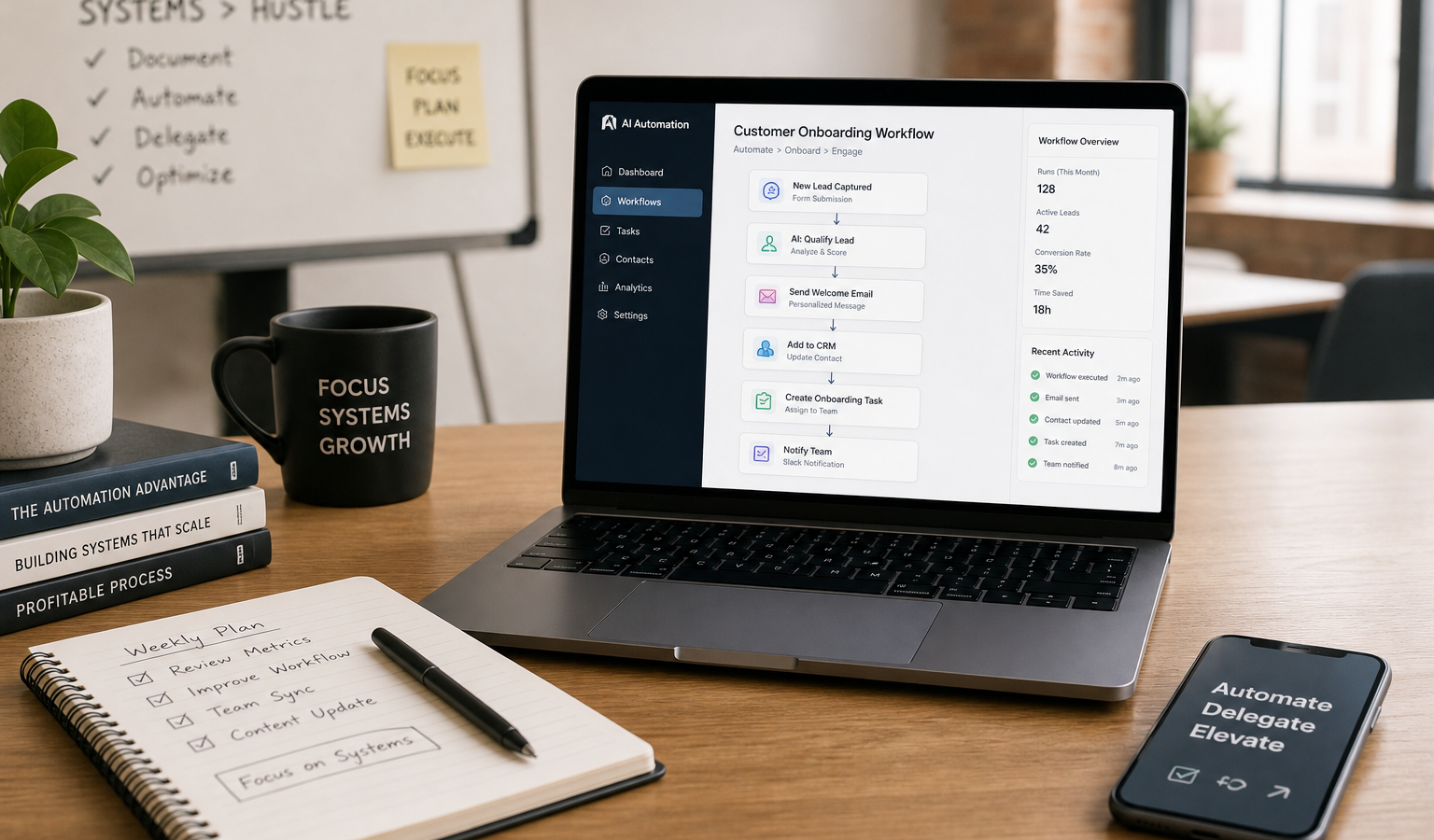
For small teams, the goal isn’t to bolt AI onto everything. It’s to remove repetitive work, cut down on context switching, and make daily operations feel lighter. That is the point behind “Make Tech Work for You”: practical systems help that saves time without creating a new layer of noise.
If you are a solo operator, a small business owner, a creator, or the kind of technical person who is already busy solving real problems, AI and automation can be useful when they are scoped carefully. The point is not to replace judgment. The point is to reduce admin, speed up drafting, organize support, and smooth out client workflows so your attention stays focused on what matters.
Why small teams need less noise, not more tools
A lot of AI advice assumes you have time to experiment endlessly. Most small teams do not. You need systems that are easy to understand, easy to maintain, and clear enough that someone can take over if you are away.
That is why the best automation work usually starts with a boring question: What tasks happen every week that do not need full human attention every time? If a task is repeated, predictable, and rules-based, it is a candidate. If it is sensitive, ambiguous, or high stakes, it probably needs a human in the loop.
Good automation should feel like relief, not architecture for its own sake. If a workflow becomes harder to explain than the task it replaces, it is probably too much.
Where AI and automation help most
1. Repetitive admin
This is often the fastest win. Think about tasks like intake form sorting, calendar prep, note cleanup, file naming, invoice reminders, and status updates. None of these usually require deep creativity, but all of them consume attention.
AI can help draft routine emails, summarize meeting notes, extract key details from forms, or turn scattered notes into a cleaner task list. Automation can move that information to the right place without you copying and pasting it three times.
2. Drafting and first-pass content
For creators and business owners, AI is useful as a drafting partner, not a final author. It can help turn rough ideas into a first outline, shorten a long internal memo, rewrite a status update in plain language, or produce variations of a client response.
The value here is not perfection. It is speed. A first draft that is 70% useful is often enough to save twenty minutes. But it still needs human review for accuracy, tone, and fit.
3. Support triage
If you receive inbound questions, support requests, or service inquiries, automation can help sort the inbox before a person touches it. For example, a workflow can:
- identify the topic of a message,
- tag urgency,
- route it to the right folder or person,
- suggest a draft reply,
- flag anything unusual for manual review.
This works especially well when requests tend to follow a pattern. The goal is not to let AI “handle support” on its own. The goal is to keep your inbox from becoming a permanent fire drill.
4. Client workflow friction
Many businesses lose time in the handoff between one step and the next: inquiry, estimate, onboarding, delivery, review, follow-up. A well-designed automation workflow can reduce delays by making each step obvious and repeatable.
That might mean an automatic welcome message after a form submission, a checklist after a deal closes, or reminders that keep projects moving. It might also mean a custom internal tool that pulls together client details, so you do not have to dig through five systems to answer one question.
Where automation adds complexity
Automation is useful only when the maintenance cost stays lower than the time it saves. That is where a lot of people run the risk of getting tripped up.
Here is where problems usually appear:
- Too many tools: every platform adds login, permissions, billing, and failure points.
- Too many branches: workflows with too many exceptions are hard to debug.
- Weak data quality: if your source data is messy, automation will simply move the mess faster.
- No owner: if nobody is responsible for checking the workflow, it quietly breaks.
- Over trust in AI output: language models can sound confident even when they are wrong.
In other words, not every process should become a workflow. Some things are better left manual because the edge cases matter too much or the volume is too low. A smart system is selective.
What to automate first
If you are starting from zero, begin with the tasks that are repetitive, low-risk, and easy to measure. That gives you a real return without creating a support burden.
- Capture: collect incoming requests, notes, or data in one place.
- Sort: tag, categorize, or route items based on simple rules.
- Draft: use AI to create first-pass summaries, replies, or outlines.
- Notify: alert the right person when action is needed.
- Review: keep a human checkpoint before anything goes out externally.
That sequence keeps the system practical. It also makes it easier to troubleshoot because you can see exactly where the process breaks.
How to keep human review in the loop
This is the part that matters most. AI works best when it supports decision-making rather than pretending to replace it.
A useful pattern is to define three levels of automation:
- Fully automatic: safe, low-risk actions like filing, tagging, or internal notifications.
- Draft only: AI prepares the message, summary, or response, but a person approves it.
- Manual only: sensitive conversations, strategic decisions, and unusual cases stay human-led.
That division keeps trust intact. It also prevents the common mistake of using AI because it is available rather than because it is appropriate.
For client-facing work, review is especially important. A polished draft is not the same as a correct answer. A quick approval step protects quality and reduces the risk of sending something inaccurate, off-brand, or too generic.
What practical AI services can look like
For creators and small business owners, the best services are usually not giant platforms. They are focused systems designed around actual work. That may include:
- AI assistants that help with internal drafting, summarizing, or lookup tasks,
- automation workflows that move information between forms, inboxes, CRMs, and task tools,
- custom development for special cases where off-the-shelf tools do not fit.
This is where experience matters. A useful solution should fit the team, not force the team to adapt around the software. That means good scoping, clear ownership, and a bias toward simpler systems that can survive real-world use.
Key takeaways
- Start with repetitive work that is predictable and low risk.
- Use AI for drafts and summaries, not blind final decisions.
- Keep humans in the loop for client-facing and sensitive tasks.
- Avoid overbuilding; one reliable workflow is better than five fragile ones.
- Measure the win in saved time, fewer mistakes, and less friction.
Practical AI is not about chasing every new feature. It is about making the workday calmer, faster, and more predictable. For small teams, that often means choosing a few well-designed systems that remove the admin burden without turning your operation into a maze.
That is the core idea behind my approach: build technology that serves the work, not the other way around. When the setup is right, the best automation disappears into the background and simply helps the business run clean.
Related Resources
- NIST AI Risk Management Framework — A solid, public-interest guide for thinking about AI risk, governance, and responsible use.
- Microsoft Power Automate documentation — Useful for understanding common automation patterns and how workflow tools are structured.
- OpenAI API documentation — Helpful if you want to explore practical AI assistant and app-building capabilities.
- Zapier automation resources — A broad library of workflow examples that can help you spot low-friction automation opportunities.